React Native/React Native_study
[리액트 네이티브를 다루는 기술 #2] 2장 컴포넌트 (p.99 ~ 108)
bocoder
2021. 12. 20. 21:30
728x90
반응형
@ List
* 2.8 카운터 만들기
** 2.8.1 UI 준비하기
** 2.8.2 Counter 컴포넌트에 Props 설정하기
** 2.8.3 App에서 상태 관리하기
* 2.9 정리
@ Result
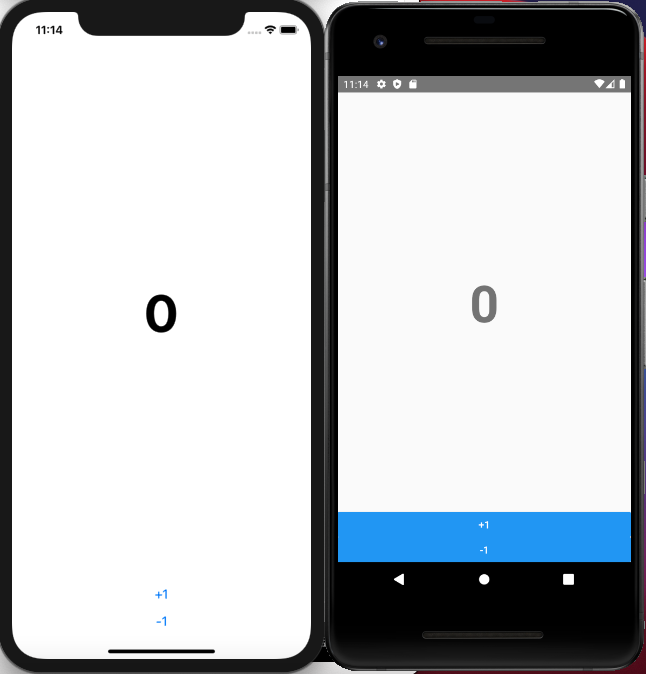
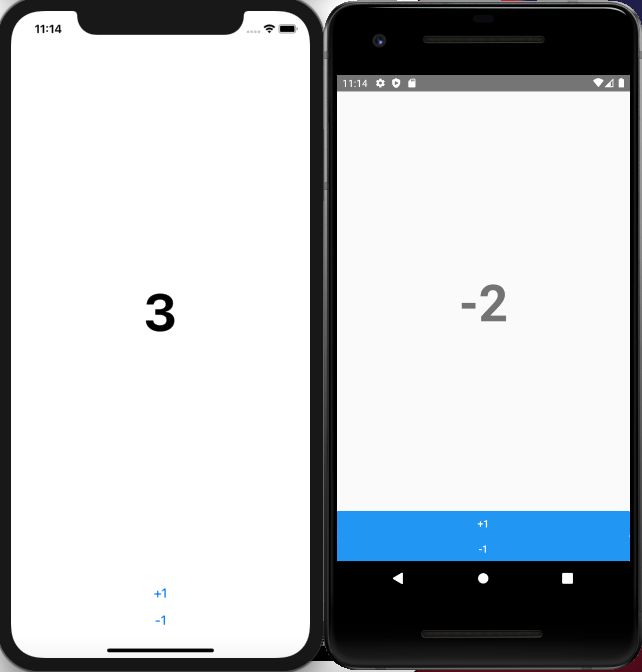
#App.js
import React, { useState } from "react";
import { SafeAreaView, Button, StyleSheet } from "react-native";
import Counter from "./components/Counter";

const App = () => {
  const [count, setCount] = useState(0);
  const onIncrease = () => setCount(count + 1);
  const onDecrease = () => setCount(count - 1);

  return (
    <SafeAreaView style={styles.full}>
      <Counter count={count} onIncrease={onIncrease} onDecrease={onDecrease} />
    </SafeAreaView>
  );
};

export default App;

const styles = StyleSheet.create({
  full: { flex: 1 },
});
# components > Counter.js
import React from "react";
import { View, Text, StyleSheet, Button } from "react-native";

function Counter({ count, onIncrease, onDecrease }) {
  return (
    <View style={styles.wrapper}>
      <View style={styles.numberArea}>
        <Text style={styles.number}>{count}</Text>
      </View>
      <Button title="+1" onPress={onIncrease} />
      <Button title="-1" onPress={onDecrease} />
    </View>
  );
}

export default Counter;

const styles = StyleSheet.create({
  wrapper: {
    flex: 1,
  },
  numberArea: {
    flex: 1,
    alignItems: "center",
    justifyContent: "center",
  },
  number: {
    fontSize: 72,
    fontWeight: "bold",
  },
});
728x90
반응형